Article: Why Your USB-C Cable Won't Run Your Monitor (and What to Buy Instead)
Why Your USB-C Cable Won't Run Your Monitor (and What to Buy Instead)
Which USB-C Cable Do I Need? 240W Charging, 40Gbps Data and 8K Video, Explained
Every USB-C cable has the same plug. That's where the similarity ends.
One cable might charge at 60W and move data at 480Mbps, the same speed as USB in 2000. Another handles 240W, 40Gbps and an 8K monitor. From the outside, you can't tell them apart. This guide explains the differences in plain English, so you can buy the right cable once.
The short answer: if you want one cable that charges a laptop, runs a fast external SSD and connects a monitor, choose a cable rated for 240W (with a 5A E-Marker chip) and USB4 40Gbps. A basic USB-C charging cable usually supports 60W and USB 2.0 data, which is too slow for fast drives and can't carry video.
Why do USB-C cables look the same but perform so differently?
USB-C describes the shape of the connector, not what the cable can do. Inside, manufacturers choose how many wires to include, how thick the power conductors are, whether there's an identification chip, and how the high-speed signal lines are built and shielded.
A cheap cable may contain only the wires needed for charging and basic data. A high-capability cable adds dedicated high-speed data lanes, heavier power conductors and shielding. That's why a USB-C cable that charges your phone perfectly may refuse to run your monitor.
The three numbers that matter: watts, gigabits and video
When you compare USB-C cables, look for three ratings.
|
Cable type (typical) |
Max charging |
Max data |
External display |
|---|---|---|---|
|
Basic USB-C charging cable |
60W |
480Mbps (USB 2.0) |
No |
|
100W or 240W "charging" cable |
100–240W |
Often 480Mbps (USB 2.0) |
No |
|
USB 3.2 Gen 2 cable |
60–100W |
10Gbps |
Usually up to 4K |
|
USB4 40Gbps, 240W cable |
240W |
40Gbps |
Up to 8K 60Hz |
The trap is the second row. Many cables are sold on high wattage alone but still move data at USB 2.0 speeds. If a listing shouts about watts and stays quiet about Gbps, assume the data speed is basic.
What does a 240W USB-C cable actually do?
A 240W cable can carry up to 48 volts at 5 amps, the maximum allowed under USB Power Delivery 3.1 Extended Power Range (EPR). Earlier USB-C charging topped out at 100W (20V × 5A).
The cable never forces power into a device. The charger and device negotiate the right level first, then the charger delivers it. So a 240W cable is safe with a phone, a tablet or a 65W laptop. It simply leaves headroom for more demanding laptops and future devices.
To get the full 240W, all three parts must support it: the charger, the device and the cable.
What is an E-Marker chip, and do I need one?
An E-Marker is a small identification chip built into the cable's connector. It tells connected devices what the cable supports: its maximum current, power capability and data capability.
USB-C cables rated above 3A must include one. Without an E-Marker, a charger will limit the cable to 3A, which caps charging at 60W at 20V. If you want more than 60W, you need an E-Marked 5A cable.
What does 40Gbps USB4 mean in real life?
USB4 is the fastest mainstream USB standard in most current laptops, with data rates up to 40Gbps. That's four times faster than a 10Gbps USB 3.2 Gen 2 cable and more than 80 times faster than USB 2.0.
In practice, 40Gbps matters when you use:
- Fast external NVMe SSDs in USB4 or Thunderbolt enclosures
- Docking stations that run several displays, networking and accessories through one cable
- Video, photography and 3D workflows that move very large files
Real-world speed depends on your computer, your drive and the file types. The cable sets the ceiling; the slowest device sets the actual speed.
Can a USB-C cable carry video to a monitor?
Yes, but only if the cable includes high-speed data lanes and your devices support video over USB-C, usually through DisplayPort Alt Mode or USB4.
A USB 2.0-only cable can't carry video, which is the most common reason a monitor shows "no signal" over USB-C. A USB4 40Gbps cable has the bandwidth for resolutions up to 8K at 60Hz, provided your laptop, dock and display support that resolution.
What is a coaxial USB-C cable?
A coaxial USB-C cable builds each high-speed signal line as its own miniature coaxial cable. Instead of twisting signal wires together in pairs, each line gets four layers:
- A central conductor that carries the data signal
- Dielectric insulation, often FEP, that keeps the conductor's electrical spacing precise
- An individual metallic shield that blocks interference from outside
- A protective outer layer before the line joins the rest of the cable
Conventional cables use twisted pairs. Twisting reduces interference, but the pairs still share the same space as each other and the power lines. At 40Gbps, tiny amounts of electrical noise matter.
Does coaxial construction make a cable faster?
No. Coaxial construction doesn't add speed. It protects signal quality at speed.
Individual shielding reduces electromagnetic interference and crosstalk between neighboring signal lines. That helps the cable hold a clean signal, which means fewer transmission errors, fewer dropped drives and fewer flickering displays. The benefit grows with speed and cable length, because both make signals more vulnerable to noise.
Does gold plating or braiding affect speed?
Neither changes the data rate. Gold-plated contacts resist corrosion and oxidation, so the connection stays reliable over years of plugging in. A braided jacket resists abrasion and tangling. Both are durability features, not speed features, and you should be wary of any brand that claims otherwise.
Which USB-C cable should I buy? A quick guide
|
What you want to do |
What to look for |
|---|---|
|
Charge a phone or earbuds |
Any quality USB-C cable (60W is plenty) |
|
Charge a high-power laptop |
240W, 5A E-Marker, USB PD 3.1 EPR |
|
Use a fast external SSD |
USB4 40Gbps |
|
Connect a monitor or dock |
USB4 or USB 3.2 with video (DisplayPort Alt Mode) support |
|
Do all of the above with one cable |
240W and USB4 40Gbps, ideally with shielded (coaxial) signal lines |
How can I check what my current cable supports?
Start with the cable's markings or original listing: look for a wattage rating and a data speed in Gbps. Certified cables may carry USB-IF logos showing both. On a Mac, System Information shows the speed a USB device has connected at. If a fast drive copies slowly or a monitor won't wake, try a cable with a known 40Gbps rating before blaming the device.
Where RAVENNOX StormLink fits
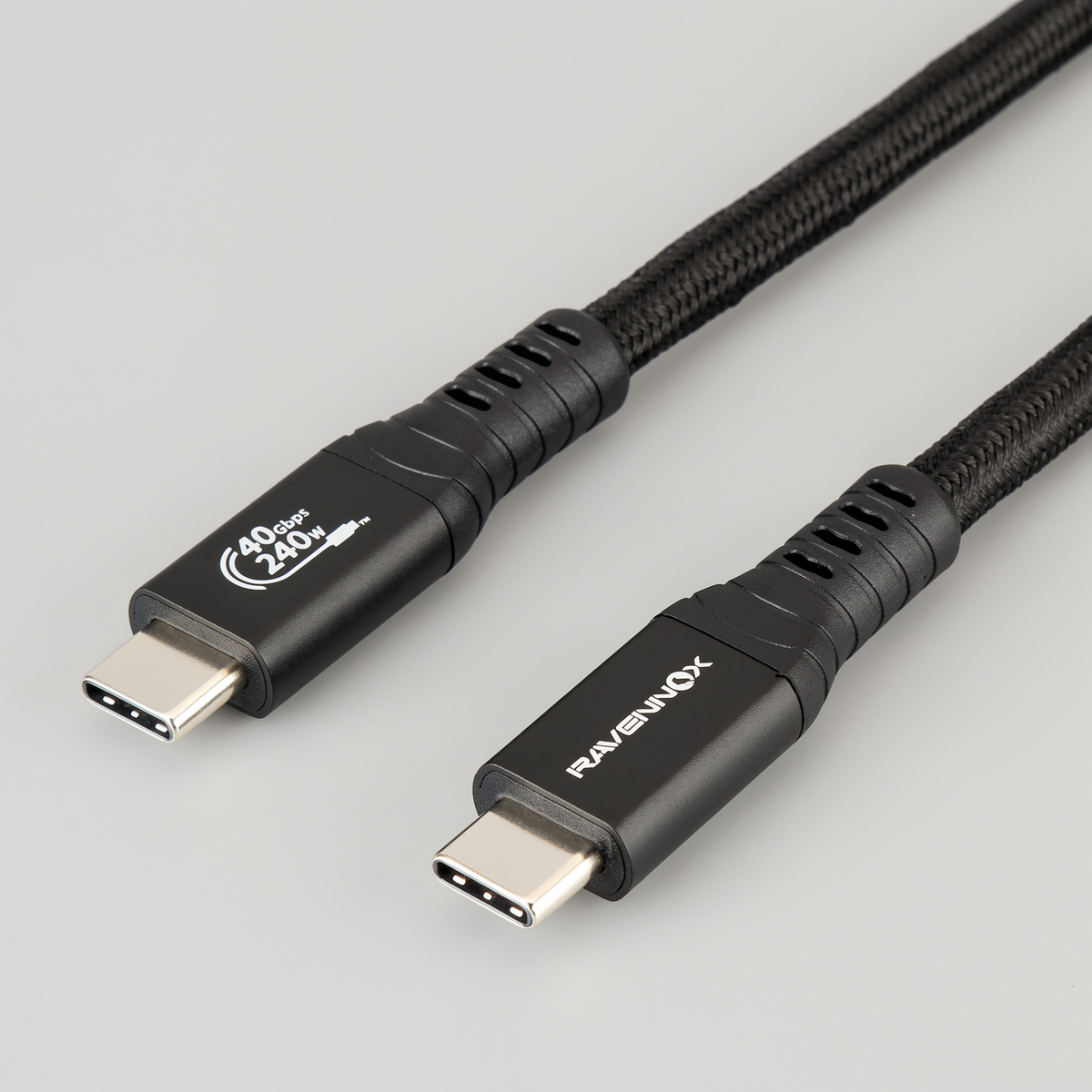
We built RAVENNOX™ StormLink for people who want the last row of that table in one cable: up to 240W charging, 40Gbps USB4 data and video up to 8K at 60Hz. Each high-speed line is individually shielded coaxial, insulated with FEP, and finished with 15µin gold-plated contacts, a 5A E-Marker and a braided, reinforced 1.5m body.
Frequently asked questions
Is a 240W USB-C cable safe to use with my phone? Yes. Your phone and charger agree on a safe power level before charging begins. The cable only sets the maximum; it never pushes extra power.
Will a better cable make my phone charge faster? Only up to what your phone and charger support. A 240W cable won't make a 25W phone charge at 240W, but a poor cable can slow down a device that supports more.
Why won't my monitor work with my USB-C cable? The most common reason is a USB 2.0-only cable, which can't carry video. Your laptop's port must also support video output. Check both before replacing the monitor.
Can I use a USB4 cable with Thunderbolt ports? In most cases, yes. USB4 40Gbps cables generally work with Thunderbolt 3 and Thunderbolt 4 ports, though exact features depend on your devices.
Does cable length affect speed? Yes. At high speeds, signals weaken over distance. Longer cables need better construction and shielding to hold full speed, which is why many 40Gbps cables are short.
What does USB PD 3.1 EPR mean? It's the part of the USB Power Delivery standard that allows charging above 100W, up to 240W, using 28V, 36V and 48V power levels.